You made a track in Suno. It sounds great in the player. You export it, upload it somewhere — and suddenly it sounds harsh, distorted, or weirdly compressed.
You didn't do anything wrong. This is just how Suno generates and exports audio.
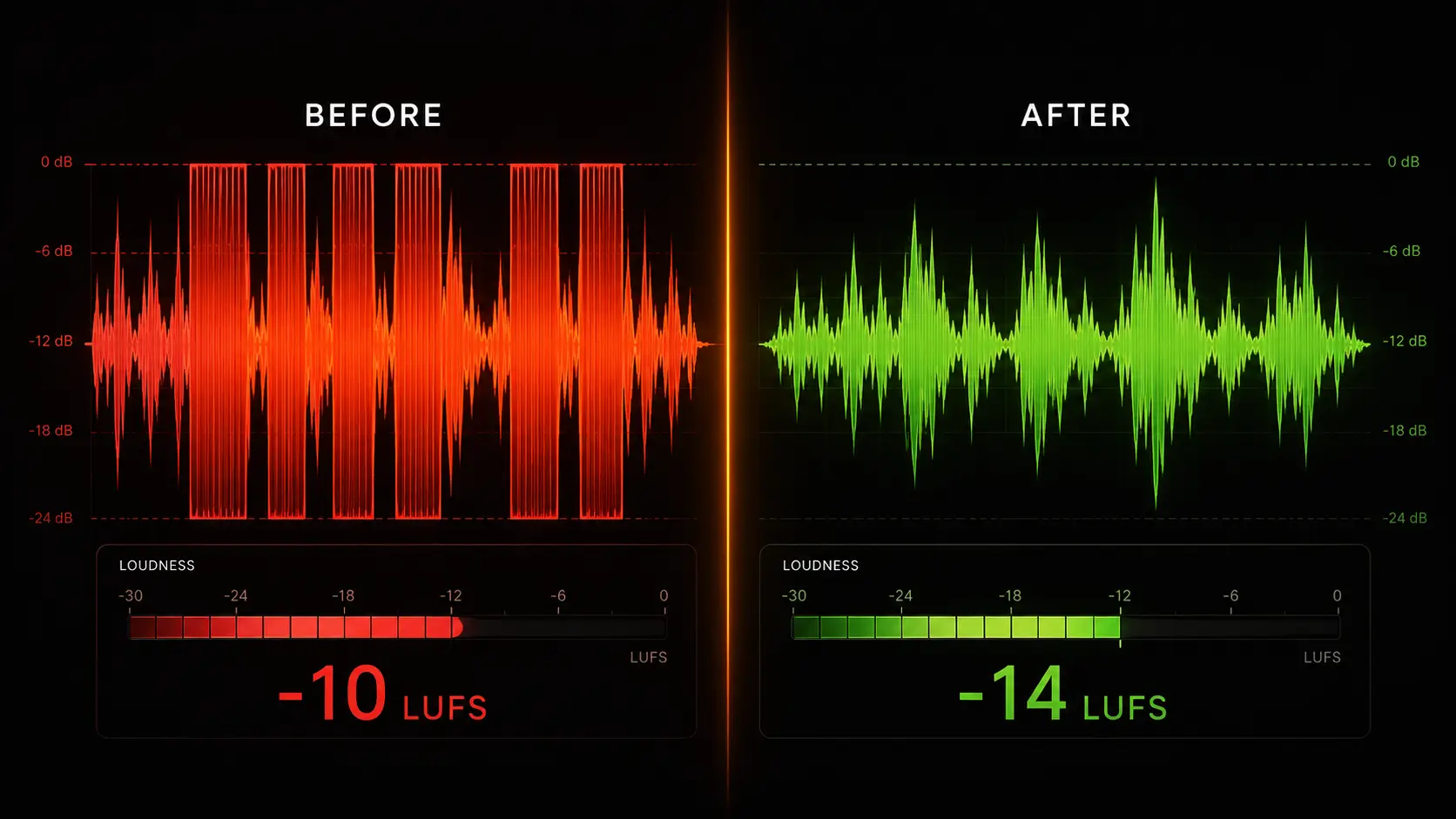
The problem: Suno exports hot
Suno generates audio at around -10 to -12 LUFS. That's the integrated loudness level — and it's significantly louder than what streaming platforms expect.
Spotify targets -14 LUFS. Apple Music targets -16 LUFS. YouTube targets -14 LUFS.
When your track arrives at -10 LUFS, the platform applies automatic loudness normalization — it turns your track down by 4 decibels. But normalization doesn't fix clipping. It just makes the clipped signal quieter. The distortion is still there, just at a lower volume.
This is why professionally mastered tracks sound clean and full on Spotify, while raw Suno exports sound flat or harsh in comparison.
What clipping actually is
Your audio signal has a ceiling. When the signal tries to go above that ceiling, it gets cut off — clipped. The result is a harsh, buzzing distortion that no amount of volume adjustment will fix.
Suno tracks clip because the AI generates audio that's already pushed close to 0 dBFS — the absolute maximum. There's no headroom left for the platform's processing to work cleanly.
Three ways to fix it
Option 1: Use WaveDisco (fastest)
Drop your Suno track into wavedisco.com. Set your target platform. It normalizes to the correct LUFS, applies transparent limiting to catch clipping, and exports a clean file. Free in the browser, no account needed.
Option 2: Use a DAW
Import into Audacity, GarageBand, or any DAW. Apply a limiter with ceiling at -1 dBFS. Then apply gain reduction until your integrated LUFS hits -14. Export as WAV or high-quality MP3.
Option 3: Use FFmpeg (command line)
ffmpeg -i input.mp3 -af loudnorm=I=-14:LRA=11:TP=-1.5 output.mp3
This applies the EBU R128 loudness normalization standard. Free but requires technical comfort.
The short version
Suno exports at -10 to -12 LUFS. Streaming platforms want -14 to -16. The gap causes clipping and normalization artifacts. Fix it before you upload — your track will typically sound noticeably better.