By Serj · July 2026 · 5 min read
I'm going to tell you something I figured out the hard way.
For a long time I thought louder meant better. I kept pushing the volume up on my Suno tracks — cranking everything I could find, stacking settings on top of settings. The result was always the same: a mess. Distorted, harsh, fatiguing. Something that sounded aggressive in a bad way, not powerful in a good way.
Then I'd upload it to YouTube and YouTube would cut it back down automatically. What came out the other end sounded worse than what I started with. All that work, and the platform just undid it.
I kept doing this for a while. Self-deception is comfortable.
The moment I understood what was actually happening
One evening I put on headphones — proper ones — and listened to two versions of the same track side by side.
Version one: the loud one I'd been working on. Pushed hard, peaks hitting the ceiling.
Version two: a version that had been normalized properly. A little quieter by comparison. But cleaner. More open. The instruments sat in their own space instead of fighting each other.
I sat there for a few minutes and just listened.
The loud version was tiring. After two minutes I wanted to take the headphones off. The normalized version I could listen to comfortably. The bass was there. The details were there. Nothing was fighting anything else.
That was the moment I stopped chasing loud.
What actually happens when you push AI music too hard
Suno exports tracks at around -10 to -12 LUFS. That's already on the hot side. When you try to make it louder on top of that, you push the peaks above 0 dBFS — the absolute ceiling of digital audio.
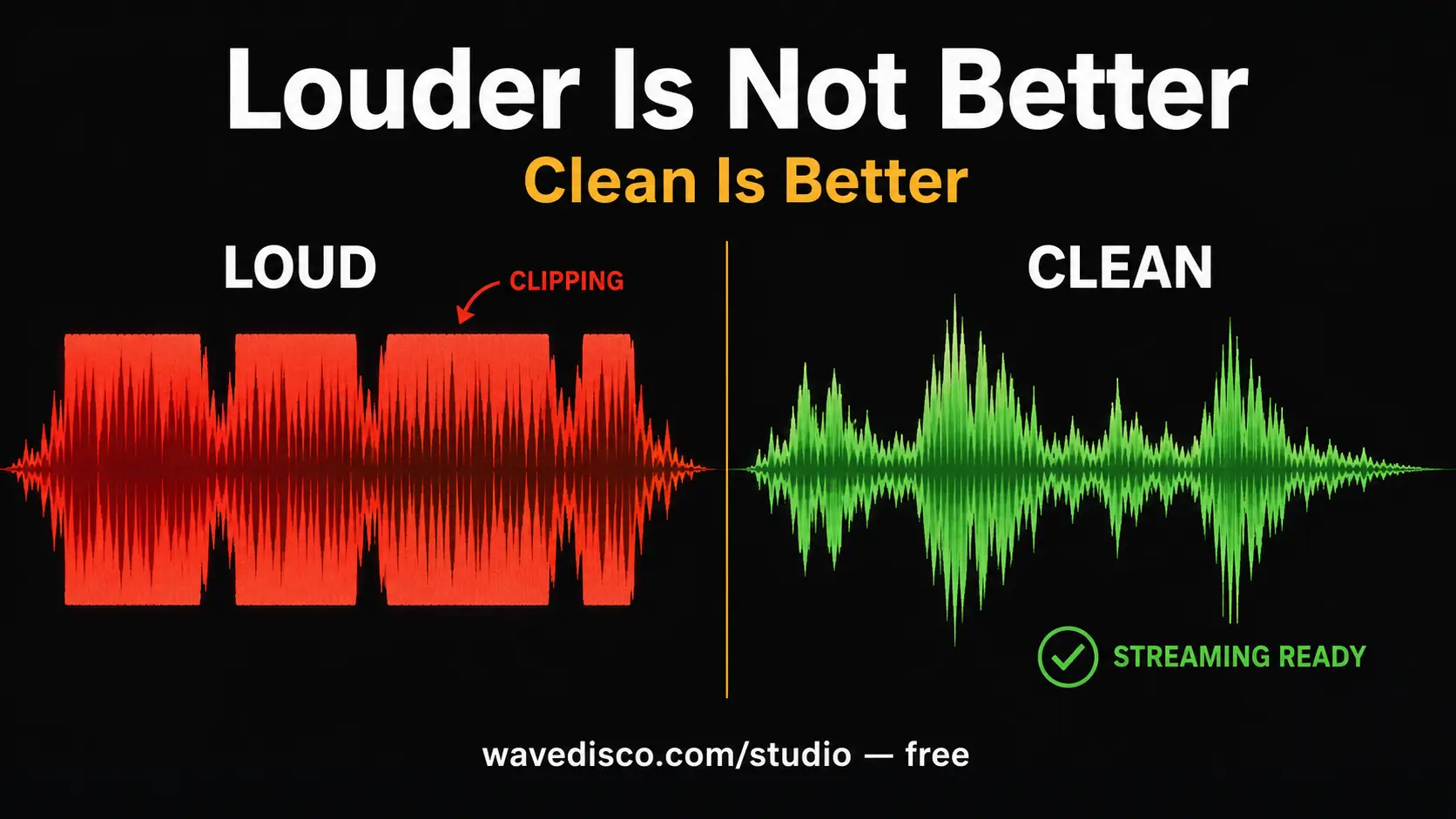
What happens at the ceiling: the waveform gets cut flat. That flat cut is called clipping. It sounds like a harsh buzz on loud moments. A brittleness. A distortion that doesn't go away no matter what you do next, because the information that was supposed to be there is simply gone.
And then Spotify or YouTube receives your track and normalizes it to their target — -14 LUFS for Spotify. They turn it down. The clipping stays. Now you have a quiet clipped track instead of a loud clipped track. The worst of both worlds.
What loudness actually means on streaming
Streaming platforms don't care how loud your file is. They normalize everything to the same target. A track at -10 LUFS and a track at -14 LUFS will play at roughly the same perceived volume on Spotify — because Spotify turns the loud one down.
What you can control is how clean and well-balanced the track is at that normalized level. That's what mastering actually does. Not make it louder. Make it sound good at the volume the platform is going to play it at.
When I understood this, the whole thing made more sense.
What I tried before building my own tool
I looked around for free options. There were some. Most had limitations — watermarks on exports, complicated interfaces, things that required accounts or subscriptions or both. Some were genuinely good but cost money I didn't want to spend on something I wasn't sure would work.
I wanted something simple. Drop a file, get a clean file back, no strings attached.
I couldn't find exactly that. So I built it.
I'm not going to pretend WaveDisco is perfect. I built it myself, without a professional audio engineering background, learning as I went. What I can tell you is that it does what I needed it to do: normalize loudness to streaming targets, catch clipping with true peak limiting, and export a clean 24-bit WAV. For free. Without watermarks. Without an account.
If it works for you — great. If something about it doesn't suit your needs — that's completely fair. Try it and judge for yourself.
The practical answer to making your track sound bigger
Since this is what most people are actually looking for — here is what I found actually works:
Target -14 LUFS, not 0 dBFS. The number you want to hit is the platform target, not the loudness ceiling. -14 LUFS on Spotify sounds just as loud as anything else on Spotify — because everything else is also at -14 LUFS.
Fix clipping before normalizing. If your track clips, fix the peaks first with a true peak limiter, then normalize loudness. The other order doesn't work.
Don't over-compress. Heavy compression makes a track dense but not loud. It also removes the dynamic variation that makes music feel alive. The track sounds flat and tiring instead of powerful.
Check on different speakers. What sounds loud on studio monitors might sound thin on phone speakers. What sounds balanced on headphones might have too much bass on laptop speakers. Listen on at least two different devices before deciding you're done.
Use the Analyze tab first. Before touching any settings, look at what you actually have. LUFS, True Peak, Dynamic Range — these numbers tell you what the problem is and how to fix it without guessing.
The short version
Louder is not better. Clean is better. A well-mastered track at -14 LUFS sounds fuller and more professional than a clipped track that was pushed to 0 dBFS and then turned back down by the platform.
I learned this the slow way. Hopefully this saves you some time.
If you want to try the tool I built: wavedisco.com/studio — free, no account, no watermark. Come try it and see what you think.
Related: What Is LUFS · How to Fix Clipping · Suno Mastering Online