WaveDisco Studio runs in the browser and is free. PRISM Master is the desktop version — it runs offline, costs $25 one-time, and adds features that don't work well in a browser environment.
This guide covers what PRISM Master does differently and who actually needs it.
Get it: wavedisco.com/pricing
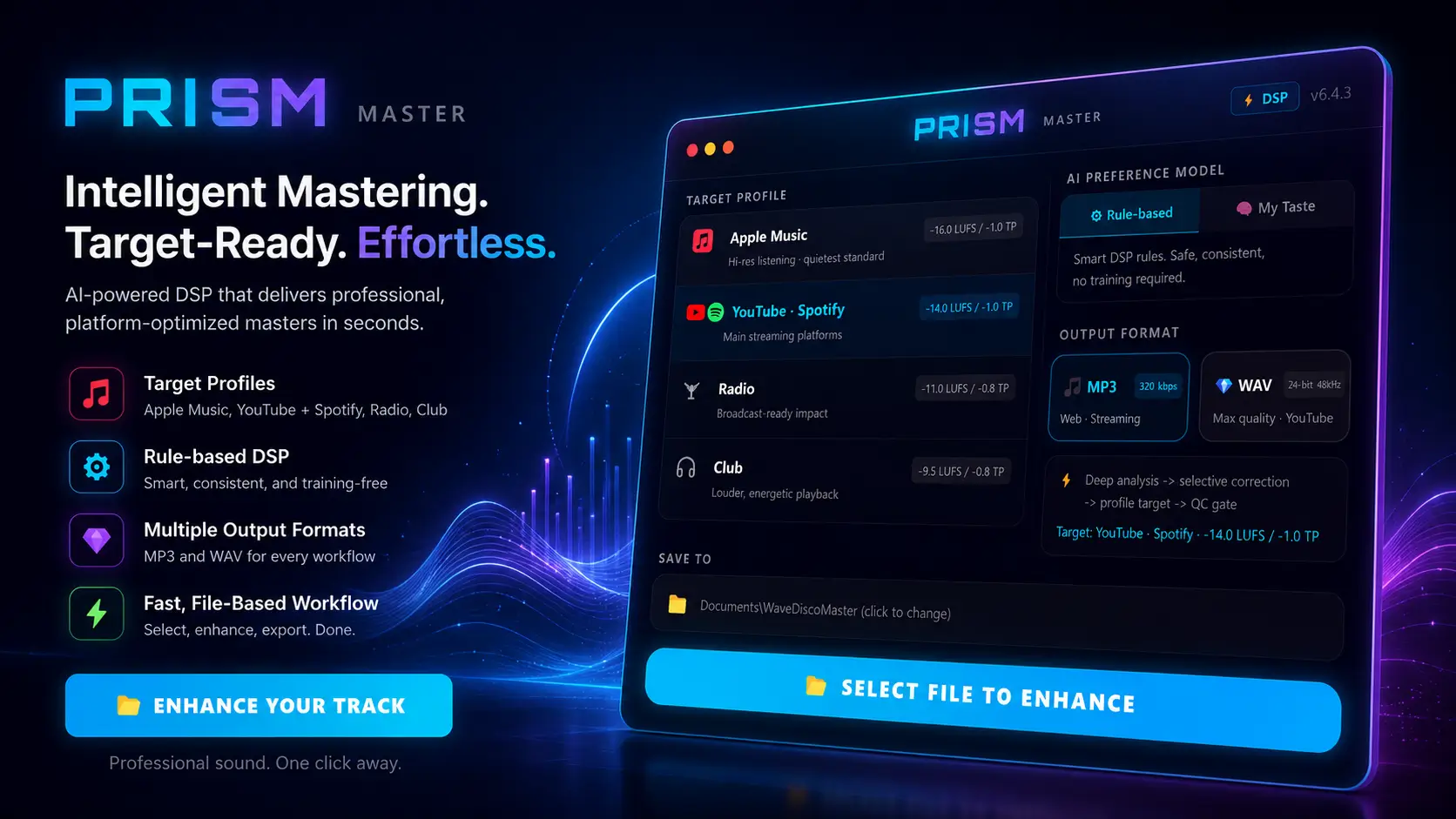
What's different from the browser studio
The core processing engine is the same. Both use the PRISM DSP — a custom audio processing system built and tested over months on real AI music tracks. The difference is in what runs around that engine.
| WaveDisco Studio | PRISM Master | |
|---|---|---|
| Price | Free | $25 one-time |
| Works offline | ❌ | ✅ |
| AI preference model | ❌ | ✅ |
| Reference track mode | ❌ | ✅ |
| DJ tools | ✅ | ❌ |
| Microphone recording | ✅ | ❌ |
| Platform | Browser | Windows + macOS |
| Output | 24-bit WAV | 24-bit WAV / MP3 |
The processing engine
PRISM DSP was built from scratch for AI-generated music. Not adapted from existing tools — written specifically to handle the problems that Suno, Udio, and similar generators produce: hot exports, clipping transients, low-mid buildup, inconsistent stereo width.
The engine was tested across a large number of AI tracks during development, with adjustments made based on what actually came out of the generators. The goal throughout was transparent processing — the track should sound like itself, just cleaner and better balanced.
Try it yourself and hear the difference. That's the only honest way to evaluate any mastering tool.
Two processing modes
SMART MASTER
The main mode. Analyzes your track, plans the correction, applies processing where it's needed, runs a quality check, and exports.
The analysis covers loudness, dynamics, spectral balance, and stereo characteristics. Processing is applied selectively — not uniformly across the whole track. If a section doesn't need correction, it doesn't get it.
SMART MASTER uses the AI preference model if you've trained it. If not, it uses built-in defaults that work well for most AI music out of the box.
MATCH EQ
A reference-based mode. You load a track that represents the sound you're going for — a commercial release, a specific genre reference, anything you like. PRISM analyzes the spectral characteristics of that reference and adjusts the EQ of your track to move in that direction.
Useful when you have a clear idea of the target sound and a track that represents it. The result won't be identical to the reference — it's a spectral approximation, not a copy. But it gives the processing a specific direction to work toward.
Match EQ is the older of the two modes. SMART MASTER is the recommended path for most work.
The AI preference model
This is the feature with no equivalent in the browser version.
PRISM Master includes a model that learns from your listening preferences. After processing a track, you hear two versions — A and B — processed with slightly different parameters. You pick the one that sounds better to you. That choice gets recorded.
After 5 comparisons the model activates. After 30 comparisons it has a clear picture of your preferences. From that point, SMART MASTER applies small adjustments that reflect what you actually like — not generic defaults.
The adjustments are subtle by design. The model influences things like how much sub-bass to preserve, how wide the stereo image sits, how the limiter behaves. Nothing dramatic — a consistent lean toward your taste across every track you process.
If you want to start over, one button clears your preference data. The built-in defaults stay untouched — only what you taught it gets removed.
Platform targets
| Profile | Target LUFS | True Peak |
|---|---|---|
| YouTube · Spotify | -14.0 LUFS | -1.0 dBTP |
| Apple Music | -16.0 LUFS | -1.0 dBTP |
| Radio | -11.0 LUFS | -0.8 dBTP |
| Club / DJ | -9.5 LUFS | -0.8 dBTP |
Radio targets -11 LUFS — the broadcast standard, tighter than streaming.
Who needs the desktop version
The browser studio handles most use cases well. PRISM Master makes sense if you work offline regularly, process a lot of tracks and want the preference model to remember your taste, or want to use a reference track to guide the processing direction.
If you're trying WaveDisco for the first time — start with the free browser studio. Same engine, no install required. If you find yourself using it regularly, the desktop version is $25 one-time and works on two computers.
Windows and macOS
PRISM Master runs on both platforms. On macOS, a one-click script removes the Gatekeeper warning that appears on apps downloaded outside the App Store — standard procedure for independent software.
One purchase. Two machine license.
Start free in the browser: wavedisco.com/studio
Desktop app: wavedisco.com/pricing
Related: WaveDisco Studio — Complete Guide · AI Music Mastering Guide · How to Analyze Your AI Music